Set the clock, choose meals and portions, test, then save your schedule.
If you want a stress-free feeding routine, you’re in the right place. I’ve set up many smart feeders for cats and clients, and this guide shows you How to program Petlibro automatic cat feeder the easy way. We’ll cover buttons, the app, schedules, portions, and fixes. Use it as a step-by-step playbook you can trust.
What You Need Before You Start
Programming works best when you have the basics ready:
- Your exact model name and manual. Petlibro has button-only and Wi‑Fi models.
- A steady 2.4 GHz Wi‑Fi network if your unit supports the app.
- Good kibble size. Small, round kibbles feed best.
- Power adapter plugged in, plus batteries for backup.
- A small cup or kitchen scale to test portions.
Tip from my setup calls: write your target feeding times and portions on a sticky note. It helps you stay calm while you learn How to program Petlibro automatic cat feeder for your own routine.

Understand Your Petlibro Model
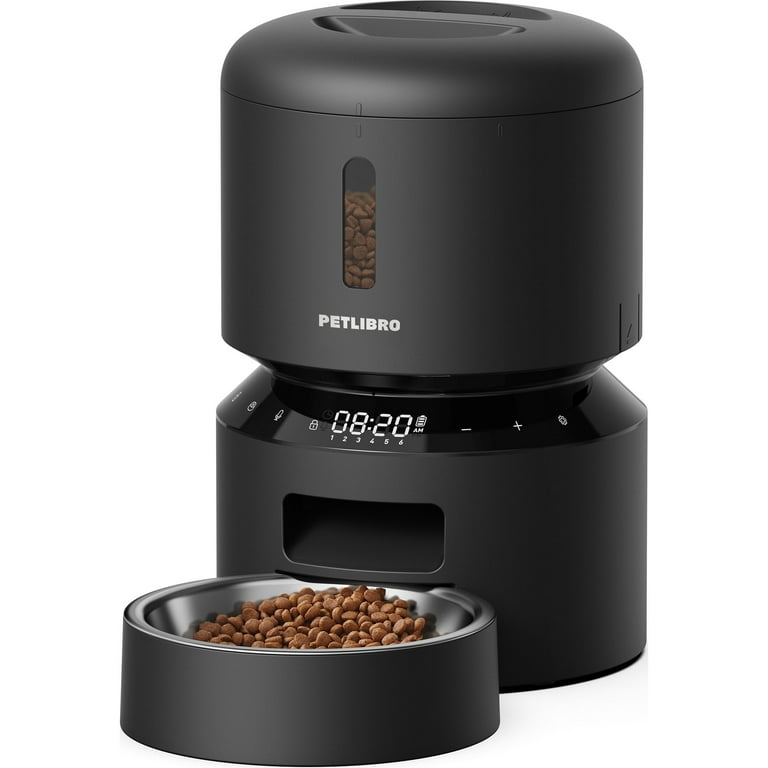
Petlibro sells a few lines. Most have a control panel with:
- Time set buttons, usually Set, Up, Down.
- Meal keys to set Meal 1, Meal 2, and so on.
- A manual feed key for instant feed.
- A mic button to record a short voice call.
- A lock icon to stop pet paw presses.
Wi‑Fi models add a status light and a pairing step in the Petlibro app. The app lets you sync time, tweak schedules on the go, and see logs. This changes how to program Petlibro automatic cat feeder, since the app can override panel settings.
If you do not see your exact buttons, check the manual for your model. The flow is the same across most units.

How to Program Petlibro Automatic Cat Feeder from the Control Panel
This method works on non‑Wi‑Fi and Wi‑Fi models that also have buttons. Here is the simple path I use in home visits.
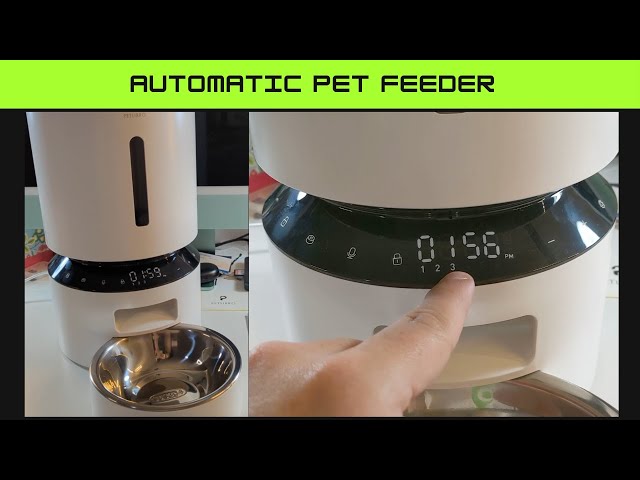
- Set the current time
- Hold Set until the hour blinks.
- Tap Up or Down to choose the hour.
- Press Set to move to minutes.
- Set minutes, then press Set to save.
- Choose the number of daily meals
- Tap Meal 1 to enter its settings.
- Set the feed time for Meal 1.
- Choose the portion count for Meal 1.
- Repeat for Meal 2, Meal 3, and so on.
- Turn off extra meals you do not need.
- Record the feeding call
- Press and hold the mic button.
- Speak for a few seconds.
- Play it back to check volume.
- Run a test feed
- Place a bowl under the chute.
- Press the manual feed key once.
- Count the portions and note the amount.
- Lock the panel
- Hold the lock key if your model has it.
- This blocks stray paw taps and kids.
- Check the meal log if available
- Some models show the last feed time.
- Confirm the clock did not drift.
Pro tip: Weigh what 10 portions look like. Divide by 10 to get grams per portion. Kibbles vary, so test once. That is the fastest way to dial in How to program Petlibro automatic cat feeder with real accuracy.
Quick answers while you set up
- How many portions per meal should I use? Start small. Try 2–4 portions and adjust after a day.
- Can I do a split breakfast? Yes. Set two morning meals 15–30 minutes apart.
- Will it remember my schedule after power loss? Yes, if you add batteries for backup memory and feeding.
How to Program Petlibro Automatic Cat Feeder with the App (Wi‑Fi Models)
If your model supports Wi‑Fi, the app makes daily tweaks easy. Here is my client-tested flow.
-
Prep the router
- Use 2.4 GHz Wi‑Fi. Many feeders do not join 5 GHz.
- Place the feeder within good signal range.
-
Pair the feeder
- Install the Petlibro app and create an account.
- Plug in the feeder and power it on.
- Hold the Wi‑Fi or pair button until the light blinks.
- In the app, Add Device and follow the prompts.
- Enter your Wi‑Fi name and password.
-
Set your schedule
- Open Schedules.
- Add meal times and choose portions.
- Save and sync. The feeder time and app time should match.
-
Fine-tune and test
- Run a test feed from the app.
- Check the log to confirm the meal fired.
- Turn on push alerts for extra peace of mind.
-
Keep it stable
- Do not place the feeder in a dead Wi‑Fi zone.
- If the app and feeder clash, let the app schedule win.
- Reboot router and feeder if the light shows offline.
Using the app is often the easiest way for families to learn How to program Petlibro automatic cat feeder, since you can adjust on the couch and see instant results.

Portion Sizing and Schedule Examples
Every cat is different. Your vet sets the goal. Use these as safe starting points, then tweak.
-
Kittens
- Many small meals.
- Example: 5 meals a day. Even spacing.
- Use small portions and grow over time.
-
Adult indoor cat
- Two to four meals a day.
- Example: 7 am, noon, 6 pm, 10 pm.
- Split daily calories across all meals.
-
Weight control
- More meals, smaller portions.
- Spread food to curb hunger spikes.
- Test the portion size with a scale for accuracy.
Make one change at a time. Wait 3–5 days before the next change. Keep notes on stool, energy, and weight. That is how to program Petlibro automatic cat feeder for steady, healthy progress.

Troubleshooting and Mistakes to Avoid
I see the same issues in homes. Here is how to fix them fast.
-
Meals fire at odd times
- The clock is off or the app time zone changed.
- Sync time in the app or reset the panel clock.
-
Food jam or fast drop
- Kibble is too big or too oily.
- Use smaller, dry kibbles and clean the chute.
-
Cat hacks the panel
- Use the control lock.
- Place the feeder where paws can’t press buttons.
-
Double feeds after power returns
- Backup batteries help keep the timer steady.
- Avoid unplugging near a planned meal.
-
Voice call too loud or scary
- Record a soft, short clip.
- Test while you are home.
If you still struggle with How to program Petlibro automatic cat feeder, reset to factory defaults, then re-add your schedule from scratch. A clean slate often fixes hidden conflicts.

Maintenance and Safety Best Practices
A clean feeder is a reliable feeder. Set a simple plan.
-
Weekly
- Wipe the chute and bowl.
- Check for crumbs and oil build-up.
-
Monthly
- Wash the bowl with warm, soapy water.
- Inspect the impeller and hopper walls.
-
Every 1–2 months
- Replace the desiccant if your model has one.
- Check the power cord for bite marks.
-
Always
- Use adapter power plus batteries.
- Keep the feeder level on a flat surface.
- Store kibble in a sealed bin to cut moisture.
These small habits protect your schedule and keep How to program Petlibro automatic cat feeder worry-free.

My Field Notes After Months of Use
Here is what has worked best in my home and client homes.
-
Start with more meals, fewer portions
- It smooths hunger and reduces rapid eating.
-
Do a 24-hour dry run
- Program the feeder and collect each meal in a cup.
- Check timing and amounts before you trust it.
-
Keep a backup bowl ready
- If a jam hits, your cat still eats on time.
-
Use calm voice calls
- A soft chime or your normal tone works better than loud yells.
-
Review the log every Sunday
- Spot drift, missed meals, or strange times early.
With these habits, How to program Petlibro automatic cat feeder becomes simple, solid, and kind to your cat’s belly.
Frequently Asked Questions of How to program Petlibro automatic cat feeder
How many meals per day can I set?
Most models let you set several meals a day, often between 4 and 10. Check your manual for the exact limit.
What size kibble works best?
Small, uniform kibbles work best and reduce jams. Avoid very large or greasy pieces.
Will it feed during a Wi‑Fi outage?
Yes, if the schedule is stored on the feeder. Use batteries so the timer and motor still work.
How do I stop my cat from overfeeding?
Use more meals with fewer portions and lock the panel. Review weekly and adjust by small steps.
Can I use wet food in the feeder?
No. These feeders are for dry kibble only. Wet food can spoil and jam the machine.
How do I clean it without losing settings?
Unplug the unit but keep batteries installed. Remove the bowl and hopper parts that are safe to wash, then reassemble.
Does daylight saving time change my schedule?
On app models, enable auto time sync. On button models, reset the clock after the time change.
Conclusion
You now have a clear plan to set the clock, add meals, test portions, and keep things clean and safe. With a few smart habits, your feeder will hit the mark every day, and your cat will feel calm and well fed.
Start today: map your meal times, run a 24-hour test, and save the schedule that works. If you found this guide useful, share it with a friend, subscribe for more pet tech tips, or drop a comment with your own setup wins and questions.